
Installation
FilamentCraft is distributed as a private Composer package through Anystack. You'll add the private repository and HTTP basic credentials, then composer require as usual.
Install
Add the private repository and your credentials — the username is the email you purchased with, the password is your license key — then require the package:
composer config repositories.filamentcraft composer https://filamentcraft.composer.sh
composer config http-basic.filamentcraft.composer.sh your@email.com your-license-key
composer require filamentcraft/filamentcraft
php artisan filamentcraft:install
Where do the credentials live?
composer config http-basic.… writes to auth.json next to your composer.json. Keep auth.json out of version control and add the same credentials to your CI / deploy environment (COMPOSER_AUTH env var or a pre-install composer config step).
The install command:
- publishes the config + migrations and runs them,
- registers editor assets via
filament:assets, - creates the public storage symlink used by image uploads.
License key
Licensing degrades softly and never blocks — every feature works without a key. The only difference on an unlicensed install is a small "Built with FilamentCraft" link rendered on public pages. Set your key in .env to remove it:
FILAMENTCRAFT_LICENSE_KEY=your-license-keyTo disable the attribution link without a key in a given environment (for example a review app that doesn't receive secrets), call FilamentCraftPlugin::make()->softLicense(false) or set 'license' => ['soft_degrade' => false] in config/filamentcraft.php.
Start with an example site
To land on a working page right after install, pass --example:
php artisan filamentcraft:install --exampleThat seeds a studio Theme, a studio-demo Site, and a published home template populated with Hero + Features + Footer sections. Re-running the command is idempotent — the second invocation prints Example site already seeded and exits cleanly.
Register the plugin
Register the plugin on the panel that should host the editor:
use FilamentCraft\FilamentCraftPlugin;

public function panel(Panel $panel): Panel
{
    return $panel
        ->id('admin')
        ->plugin(FilamentCraftPlugin::make());
}
That's it for the minimal install — open the panel and you'll find a Templates resource and an Editor page.
Rename the sidebar navigation
Override the sidebar group header and each navigation item directly on the plugin. The defaults are Content (group), Website builder (dashboard entry), Stores, Pages, and Designs. Every setter is optional and falls back to the bundled label when omitted; pass null to keep a default.
return $panel->plugin(
    FilamentCraftPlugin::make()
        ->navigationGroup('Website')          // default: "Content"
        ->navigationLabel('FilamentCraft')     // default: "Website builder"
        ->sitesNavigationLabel('Sites')        // default: "Stores"
        ->templatesNavigationLabel('Templates') // default: "Pages"
        ->themesNavigationLabel('Themes'),      // default: "Designs"
);
For multi-locale apps, publish the translations (php artisan vendor:publish --tag=filamentcraft-translations) and edit the navigation.* keys instead.
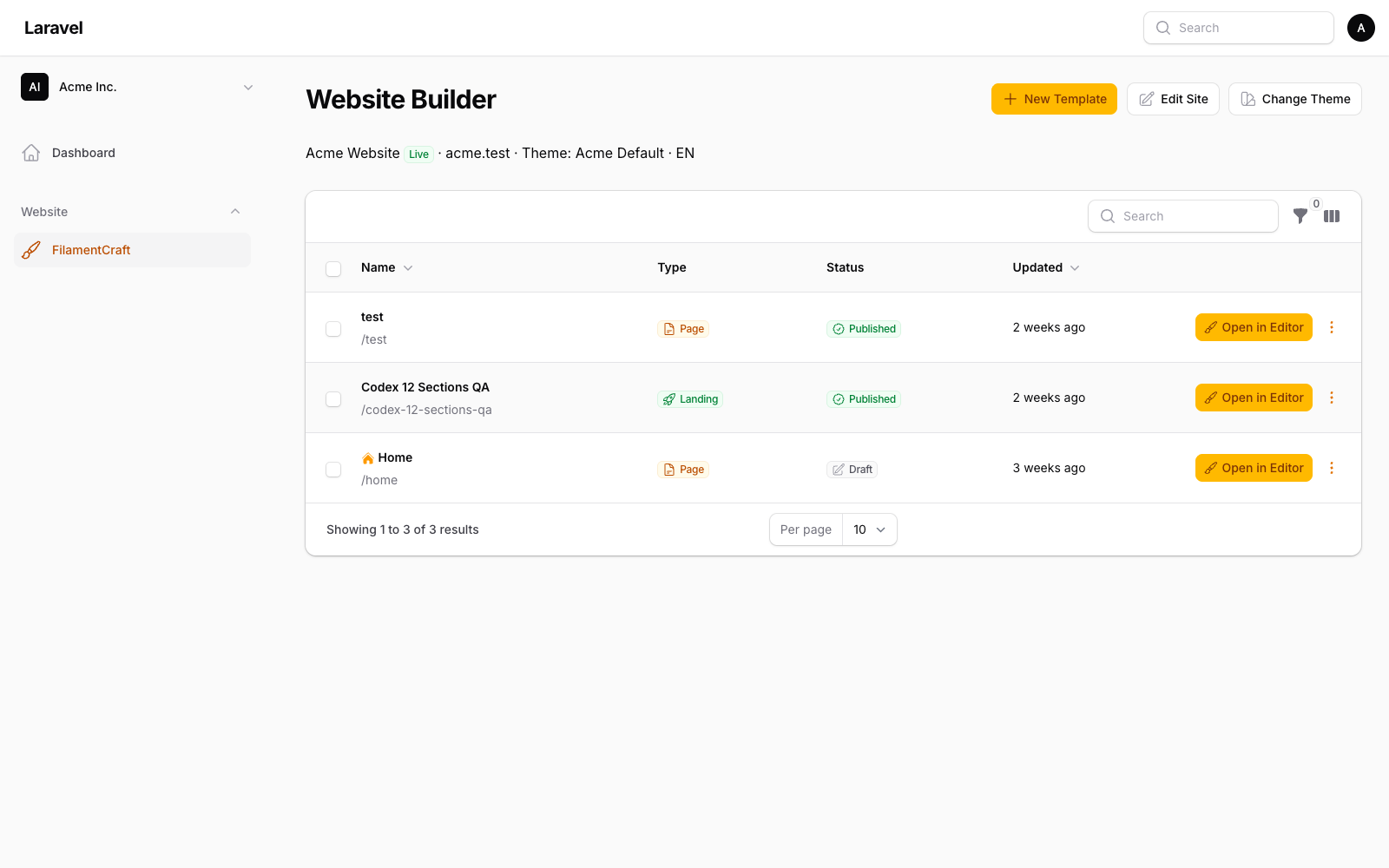
Build your first page
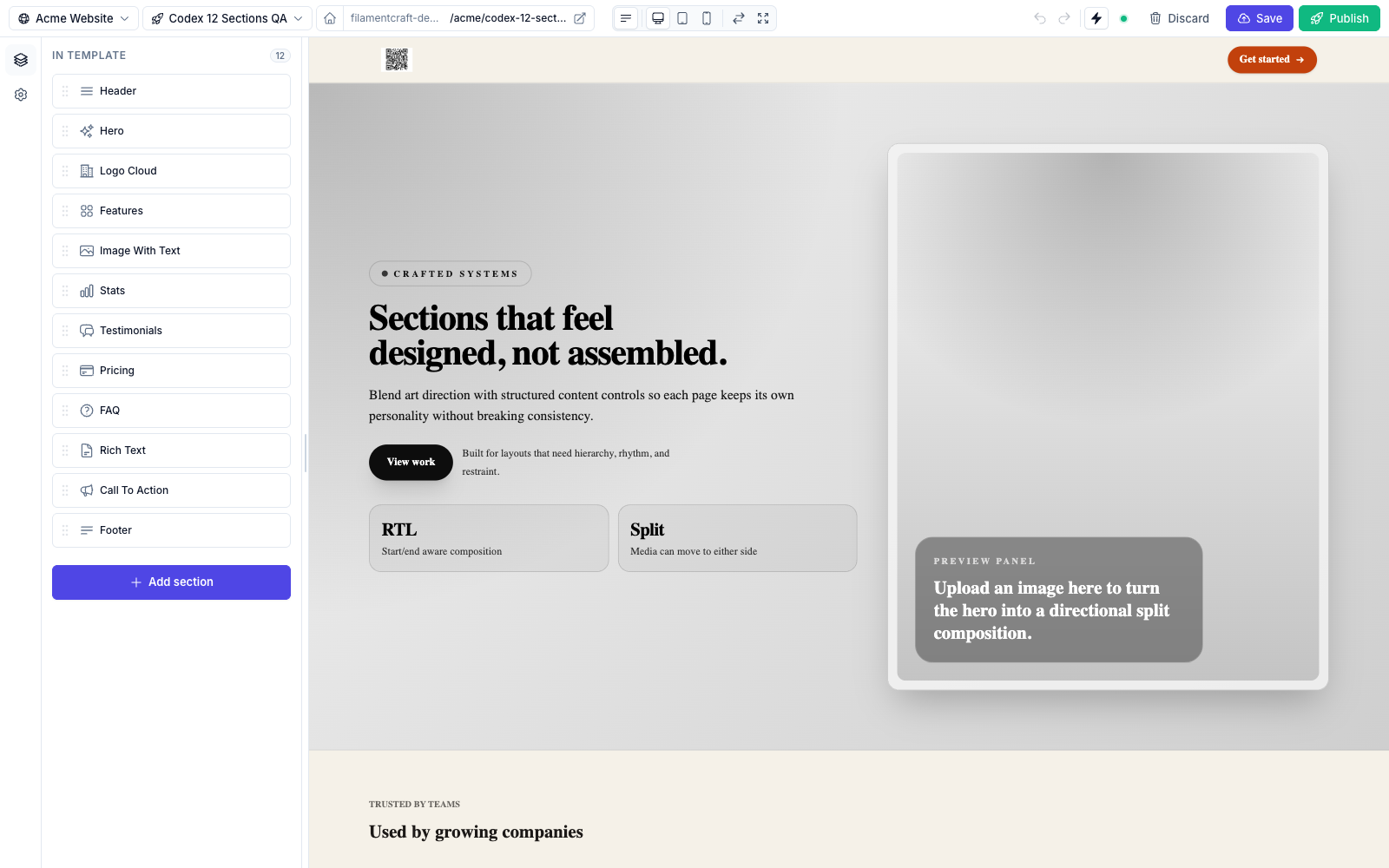
- Create a Theme and Site row (via the resources or a seeder).
- Add a Template and click Open in Editor.
- Add sections from the catalog, edit their settings, and watch the live preview update.
- Save to write a draft revision, then Publish to promote it.
Next steps
- Styling & Tailwind — wire FilamentCraft into your panel's Tailwind build.
- Sections — the built-in catalog and writing your own.
- The Editor — topbar actions, devices, focus mode, undo/redo.