Icons
Icon settings (Icon::make('icon')) store the fully-qualified blade-icons name (e.g. heroicon-m-check-badge). Render them in any Blade view with the bundled component:
blade
<x-filamentcraft::icon :name="$block->settings->get('icon')" class="h-6 w-6" />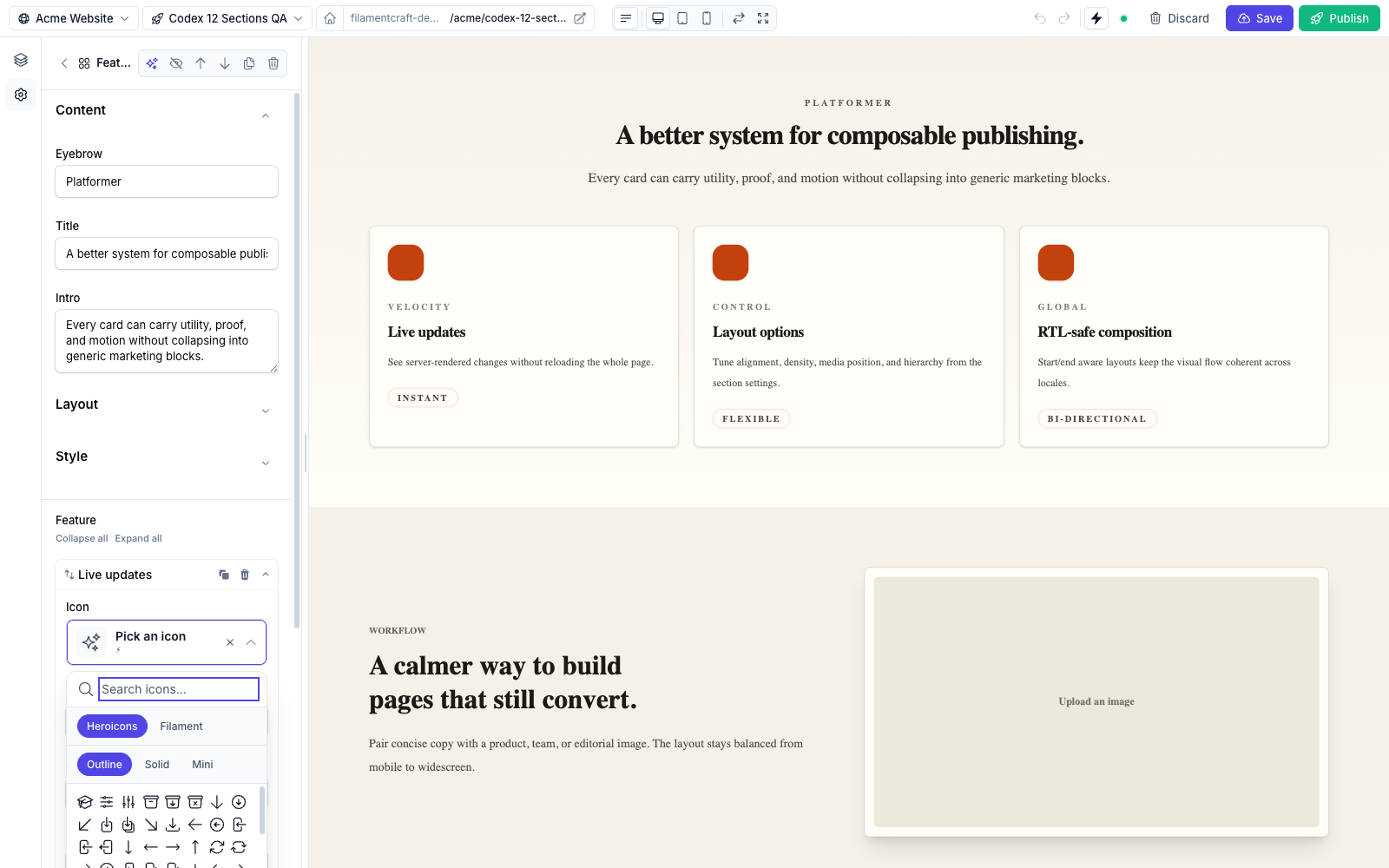
The component renders nothing when the name is empty, missing, or invalid — no exceptions, no broken markup. Pass any class / attribute through to the <svg>:
blade
<x-filamentcraft::icon
    :name="$section->settings->get('cta_icon')"
    class="h-5 w-5 text-primary"
    stroke-width="1.5"
/>
A fallback prop lets you pin a default for empty values:
blade
<x-filamentcraft::icon :name="$icon" fallback="heroicon-o-sparkles" class="h-6 w-6" />Picking which sets to expose
By default, every set registered with blade-icons (Heroicons, Phosphor, Bootstrap, Material, …) is available in the picker. Restrict per-field with the raw Filament component:
php
use FilamentCraft\Filament\Forms\Components\IconPicker;

IconPicker::make('icon')
    ->sets(['heroicons', 'phosphor-bold'])  // only these sets
    ->styles(['outline', 'solid'])          // heroicons sub-styles
    ->gridColumns(10);                      // grid density (4–12)
Or via the DSL setting (single-set only):
php
use FilamentCraft\Settings\Types\Icon;

Icon::make('cta_icon')->set('phosphor-bold');
To register a new icon set globally, follow the standard blade-icons instructions — the picker discovers them automatically.