
Color Schemes
A color scheme is a coordinated set of 22 semantic color tokens (Background, Surface, Primary, and their on-* foreground pairs, etc.). Sections reference these tokens semantically — bg-primary, text-on-surface — so changing the scheme re-skins the whole page without touching any section.
The system is driven by the ColorSchemeGroup theme setting and the ColorScheme per-section picker.
The token editor
ColorSchemeGroup::make('color_scheme') renders a grid of scheme tiles plus an "Add scheme" affordance. Click a tile to drill into the 22-token editor.
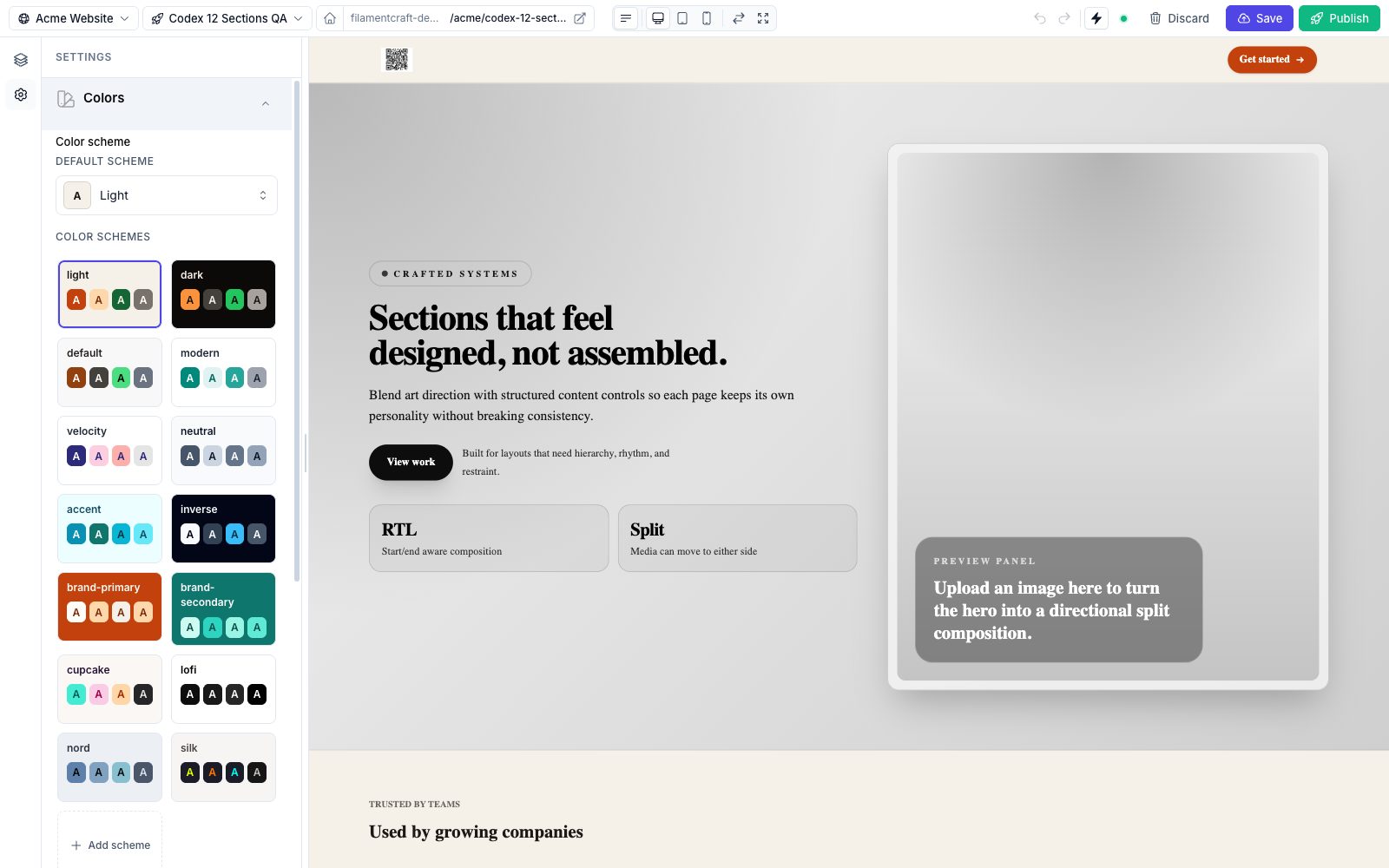
The 22 tokens are paired foreground/background semantics:
| Background token | Foreground token |
|---|---|
| Background | On Background |
| Surface | On Surface |
| Surface Alt | On Surface-Alt |
| Primary | On Primary |
| Secondary | On Secondary |
| Accent | On Accent |
| Neutral | On Neutral |
| Info | On Info |
| Success | On Success |
| Warning | On Warning |
| Danger | On Danger |
The 14 built-in schemes
These schemes are always available and can't be deleted:
light, dark, default, modern, velocity, neutral, accent, inverse, brand-primary, brand-secondary, cupcake, lofi, nord, silk.
End-users can add their own on top of these — see Persistence.
Auto-generated OkLch shades
For every non-on-* token of the active scheme, ColorSchemeGroup emits a Tailwind-style 11-step shade ramp computed in OkLch: --color-primary-50 through --color-primary-950. That means utilities like bg-primary-600 and hover:bg-primary-700 work natively with no extra configuration — map them once in your @theme inline block (see Theme Authoring → step 3).
Applying a scheme in a section
Every built-in section exposes a ColorScheme::make('scheme') control. In the Blade view, apply the selected scheme's data attributes and use the semantic utility classes:
<div {!! $section->colorScheme()->attributes() !!} class="bg-background text-on-background">
  <h2 class="text-on-surface">…</h2>
  <a class="bg-primary text-on-primary hover:bg-primary-700">Get started</a>
</div>
Switching the active scheme only flips a data attribute on the wrapper — the tokens for all schemes are pre-rendered into <style id="fc-tokens">, so the change is instant with no server round-trip (see Live Preview).
Persistence
- The active scheme slug is stored on the template draft, so different templates can use different schemes.
- User-authored schemes (Add scheme + custom tokens) are persisted on
Site.settings_json['schemes'], separate from the 14 package built-ins — so each site keeps its own additions without mutating the sharedTheme.
Programmatic helpers:
use FilamentCraft\Support\SiteColorSchemes;

$schemes = SiteColorSchemes::forSite($site);          // 14 built-ins + this site's overrides
$newSlug = SiteColorSchemes::add($site, cloneFrom: 'cupcake');  // returns "scheme-N"
SiteColorSchemes::remove($site, 'scheme-13');
Related
- Color Inputs — the
Color,ColorScheme, andColorSchemeGroupsetting types. - Theme Authoring — declaring a
ColorSchemeGroupin a theme. - Live Preview — how scheme changes patch the iframe.