
Text Inputs
Four types cover free-form text and numbers: Text, Textarea, Number, and Range. All four use the lazy live(onBlur: true) update mode — the preview refreshes when the field loses focus, not on every keystroke.
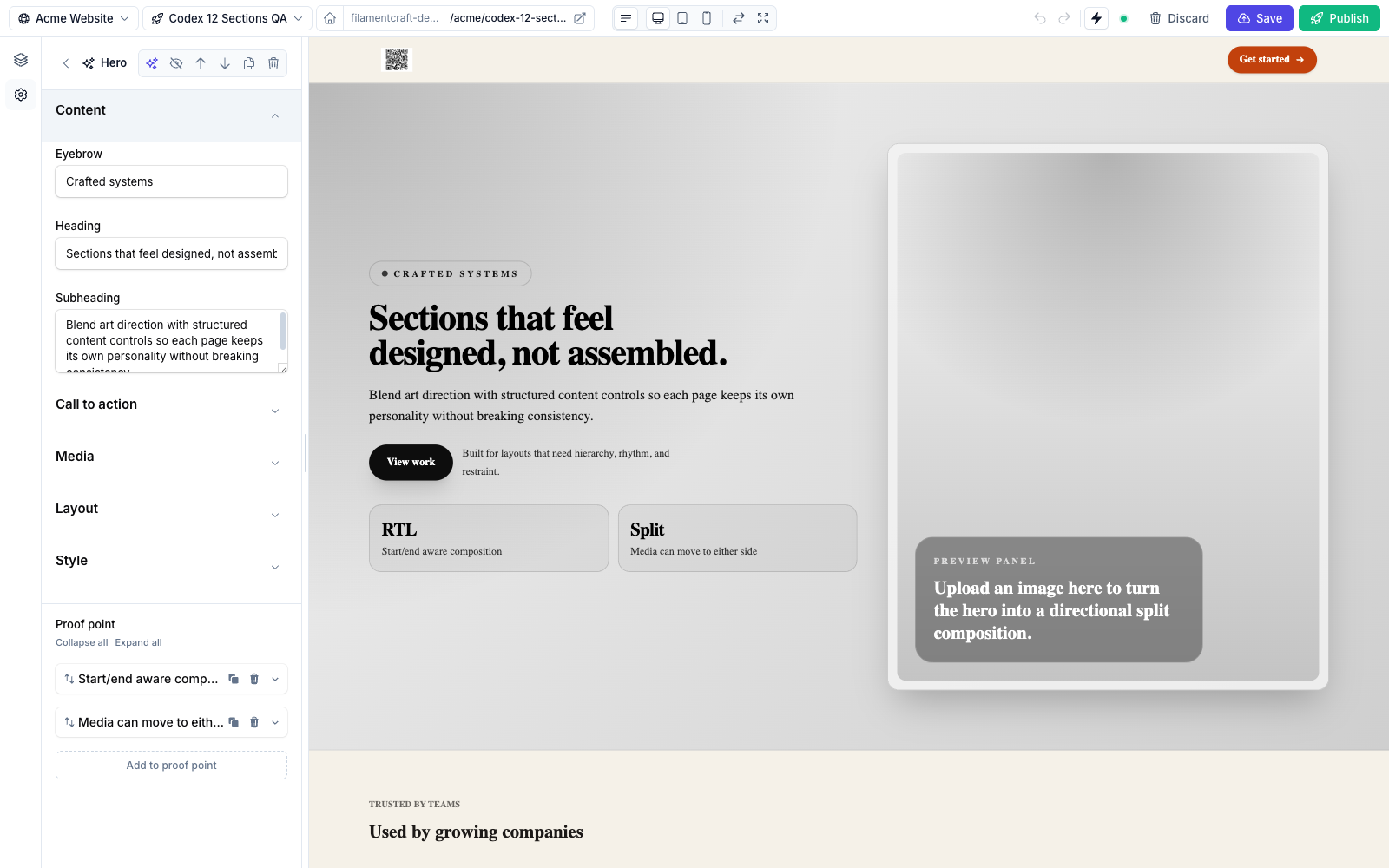
Text, a Heading Text, and a Subheading Textarea.Text
A single-line input, compiled to a Filament TextInput.
use FilamentCraft\Settings\Types\Text;

Text::make('heading')
    ->label('Heading')
    ->placeholder('Welcome to Acme')
    ->maxLength(80)
    ->default('Welcome')
->required();| Method | Effect |
|---|---|
placeholder(string $placeholder) | Greyed-out hint shown when empty. |
maxLength(int $maxLength) | Hard character cap (enforced by Filament's maxLength). |
Plus all shared methods.
Textarea
A multi-line input, compiled to a Filament Textarea.
use FilamentCraft\Settings\Types\Textarea;

Textarea::make('subheading')
    ->label('Subheading')
    ->placeholder('A short supporting sentence')
->rows(4);| Method | Effect |
|---|---|
placeholder(string $placeholder) | Empty-state hint. |
rows(int $rows) | Visible row count (default height). |
One value per line
Several built-in sections (e.g. the Pricing plan's features) store a Textarea value and split it on newlines in the Blade view. It's a simple way to accept a list without a repeater.
Number
A numeric input, compiled to a TextInput()->numeric(). Stores a number; ideal for counts, weights, or any integer setting.
use FilamentCraft\Settings\Types\Number;

Number::make('columns')
    ->label('Columns')
    ->min(1)
    ->max(6)
    ->step(1)
->default(3);| Method | Effect |
|---|---|
min(int $min) | Minimum allowed value (minValue). |
max(int $max) | Maximum allowed value (maxValue). |
step(int $step) | Increment step. |
Range
A numeric input designed for CSS dimensions. It is the type you reach for in themes: pair it with cssVar() and a unit() and the resolved value lands in <style id="fc-tokens"> with the unit appended.
use FilamentCraft\Settings\Types\Range;

Range::make('body_size')
    ->cssVar('--font-body-size', 'px')
    ->unit('px')
    ->min(12)
    ->max(20)
    ->step(1)
    ->default(16);
// emits: --font-body-size: 16px;| Method | Effect |
|---|---|
min(int|float $min) | Minimum value. |
max(int|float $max) | Maximum value. |
step(int|float $step) | Increment step (accepts floats, e.g. 0.05). |
unit(string $unit) | Unit suffix. Shown in the label and appended to the CSS value. |
min, max, and step accept floats, so Range works for em, rem, and unitless line-heights as well as pixels.