
Layout & Structure
Two types add structure to a settings panel rather than storing a value: Group and Category. They organise the other inputs into readable, collapsible sections.
Group
A sub-heading that visually groups the inputs that follow it, compiled to a Filament section header. Used inside a single section's or theme category's settings list to break a long form into labelled clusters.
use FilamentCraft\Settings\Types\Group;

return [
    Group::make('content_group')->label('Content'),
    Text::make('heading')->label('Heading'),
    Textarea::make('subheading')->label('Subheading'),

    Group::make('cta_group')->label('Call to action')->collapsed(),
    Toggle::make('cta_enabled')->label('Show button'),
    Text::make('cta_label')->label('Button label'),
];| Method | Effect |
|---|---|
content(string $content) | Optional descriptive text under the group heading. |
collapsed(bool $collapsed = true) | Start the group collapsed. |
icon(string $icon) | An icon for the group heading. |
A Group doesn't nest its fields as children — it acts as a divider/header, and every field listed after it (until the next Group) belongs to it visually. This is the pattern every built-in section uses (content_group, cta_group, layout_group, style_group).
Category
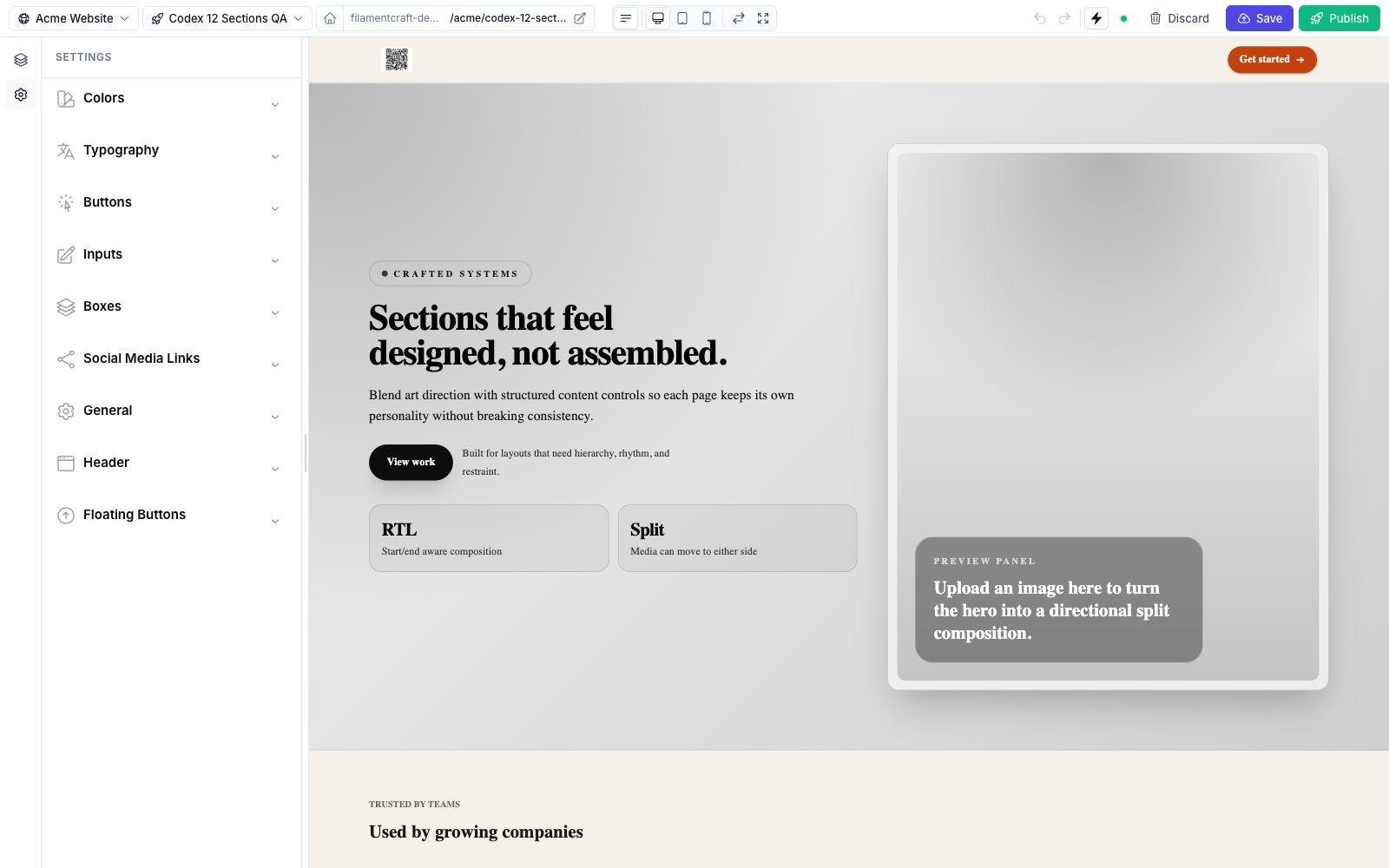
Category in the theme's settingsSchema().A top-level collapsible panel for the theme template-settings panel. Unlike Group, Category contains its settings via settings(), and each category becomes a distinct collapsible block in the editor's theme panel.
use FilamentCraft\Settings\Types\Category;
use FilamentCraft\Settings\Types\Font;
use FilamentCraft\Settings\Types\Range;

Category::make('typography')
    ->label('Typography')
    ->icon('heroicon-o-language')
    ->collapsed(false)   // open by default; categories are collapsed otherwise
    ->settings([
        Font::make('default_font')->cssVar('--font-default')->default('inter'),
        Range::make('body_size')->cssVar('--font-body-size', 'px')
            ->unit('px')->min(12)->max(20)->default(16),
]);| Method | Effect |
|---|---|
icon(string $icon) | Icon shown next to the category title. |
collapsed(bool $collapsed = true) | Start collapsed. Categories are collapsed by default — pass ->collapsed(false) to open one. |
settings(array $settings) | The settings contained in this category. |
Category is the backbone of a theme's settingsSchema() — see Theme Authoring for a complete multi-category theme class.
Group vs. Category
Group | Category | |
|---|---|---|
| Where | Inside a section, or inside a Category | Top level of a theme schema |
| Holds children? | No — acts as a divider/header | Yes — via ->settings([...]) |
| Default state | Open | Collapsed |
| Typical use | Cluster a section's fields | A whole theme panel (Colors, Typography, Buttons…) |